Authoring tests
Writing a test in Provar is a back-and-forth between you and the agent. You write down what
the action should do — its name and info — and the agent
writes the actual Playwright code that makes it happen. You review the diff, hit accept or
edit, and the agent regenerates on demand. It's a loop, not a one-shot.
Creating a new test
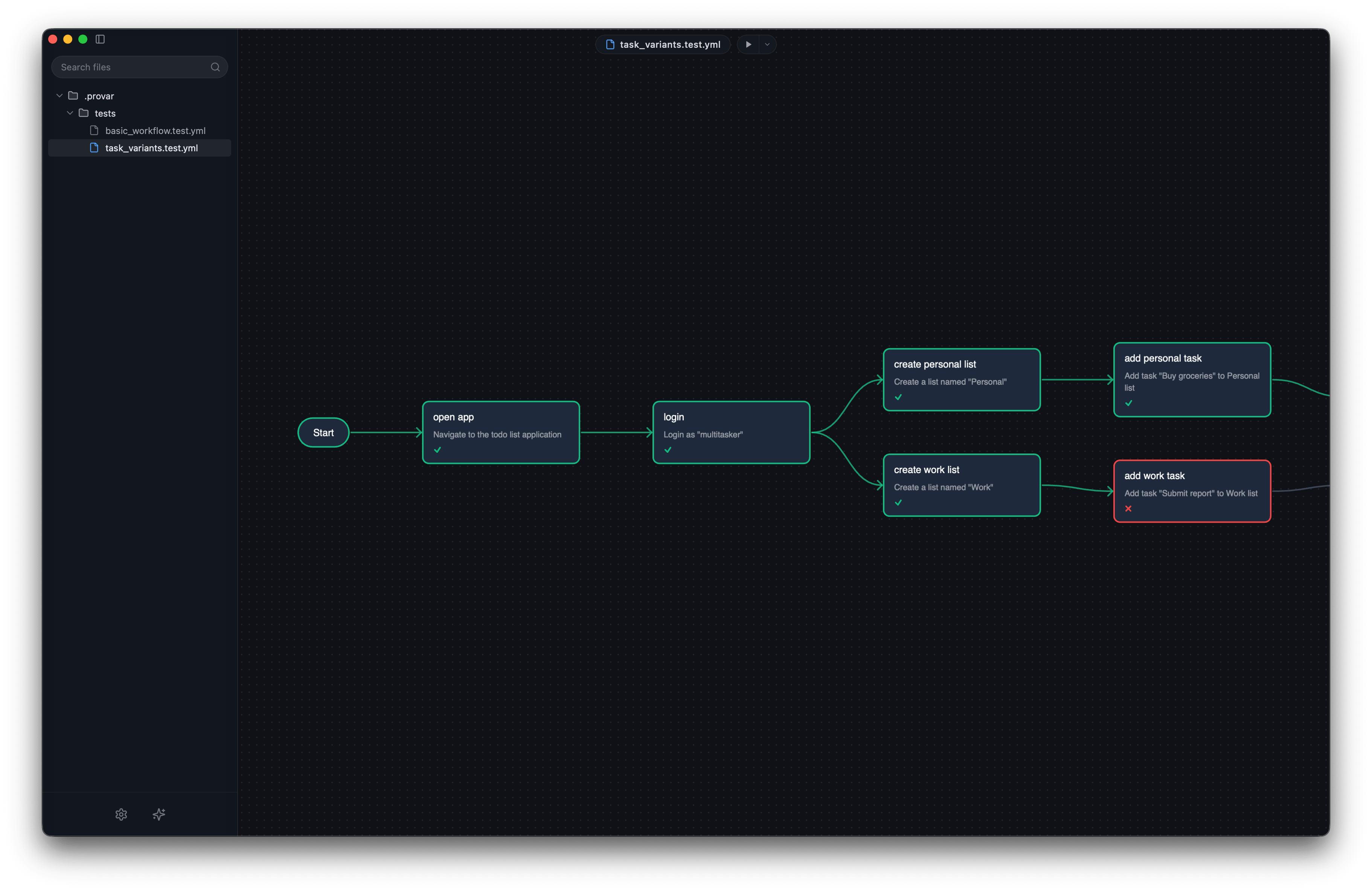
From the editor's Test Explorer, click + and pick a parent directory. You get a new file with a single empty graph and a start action. Click the start action and edit the name and info in the right sidebar — that's your new action, ready to go.
Adding actions
Click an action on the canvas, then drag from its next handle to an empty area. A new action appears, the connection is wired, and you're ready to fill in the name and info. If you've ever used a flow chart tool, you already know the gesture.
Adding a branch
Same gesture, different target. Drag from an action's next handle to an existing action instead of empty space. A branch is born; both branches will run when the file executes. Use this when the user journey genuinely forks — "user is signed in" vs "user is signed out", say.
Regenerating the underlying code
The right sidebar has a Regenerate button. Click it and the action's name, info, and the current page state get sent to the agent. The agent returns new Playwright code; the editor shows a diff; you accept, edit, or reject. The accepted version becomes the code for that action, and the snapshot is recorded when the action next runs.
You'll do this a lot. It's the core loop. After a while you'll forget the old way of writing tests by hand, which is the point.
The full authoring reference (YAML schema, supported action types, AI provider setup) is
coming next. The shape of the YAML matches the bundled sample — see apps/provar-app/sample-projects/todo-app/.provar/tests/auth/login-flow.test.yml for the canonical example.